Documentation
LLM Assistance
The Git panel’s intelligence is LLM-driven: one-click commit messages, AI-assisted diff reading, and hunk-by-hunk agent conflict resolution. All of it relies on an LLM provider configured in the Web UI.
Configuring the provider
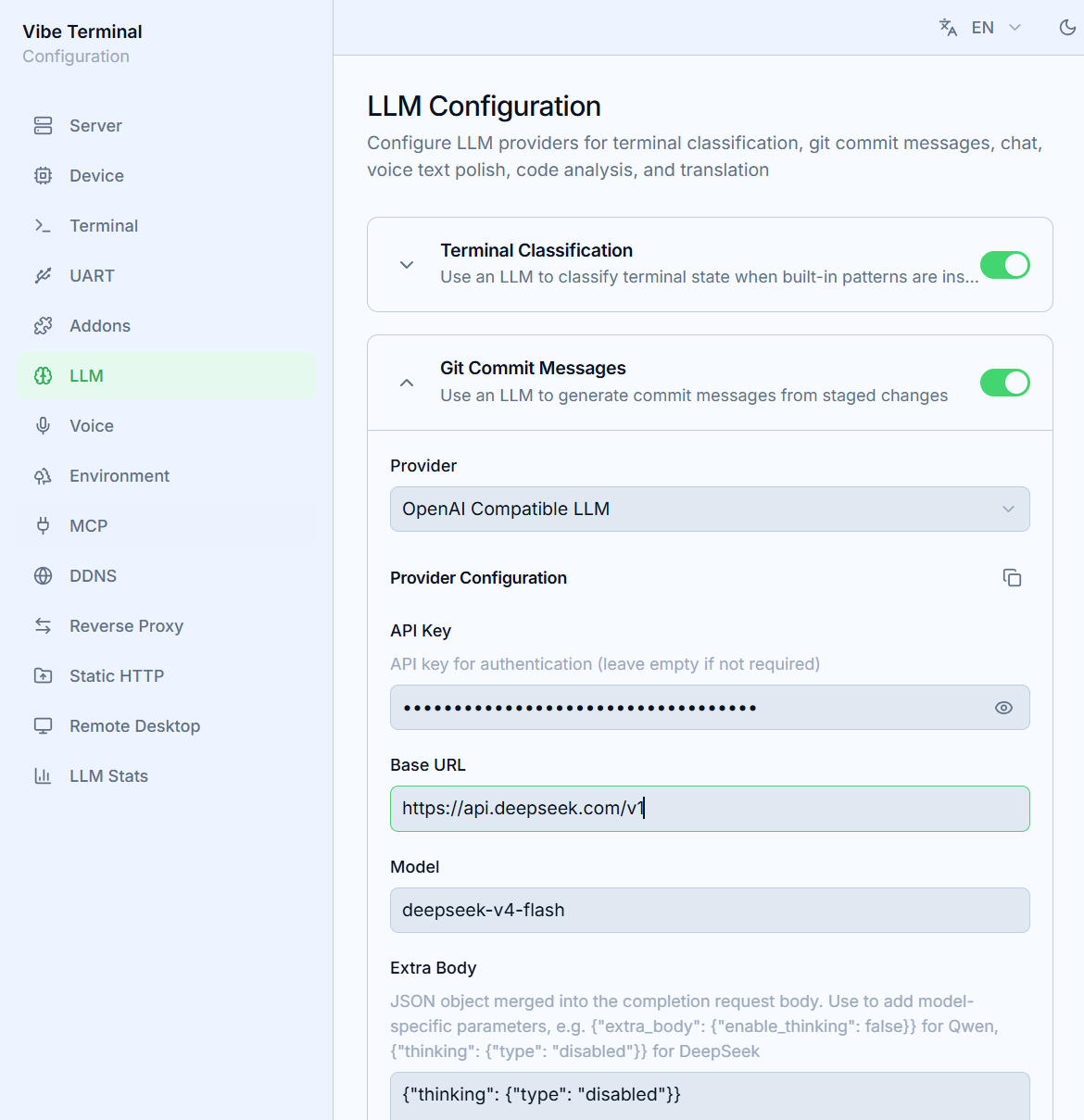
Open the LLM section of the Web UI:
- Pick a
Providerand fill in its credentials (the fields are defined by the provider’s manifest); the configuration is global — terminal classification, Git commit messages, the chat assistant, and other AI features share the same provider; - Providers are LLM-type addons: common ones are built in, and custom providers can be uploaded as a zip in the
Addonssection (the manifest declares the config fields the Web UI turns into a form).
LLM features in Git
- Commit message generation — click the AI button next to the commit box; the LLM reads the staged diff and writes a message, typed into the box with an animation. The message stays editable — commit only when you’re happy with it;
- Diff analysis — the sparkle button in the diff view header analyzes the current diff;
- Conflict AI agent — the rebase merge editor’s AI mode resolves hunks one by one with explanations and confidence (see Resolving Conflicts).
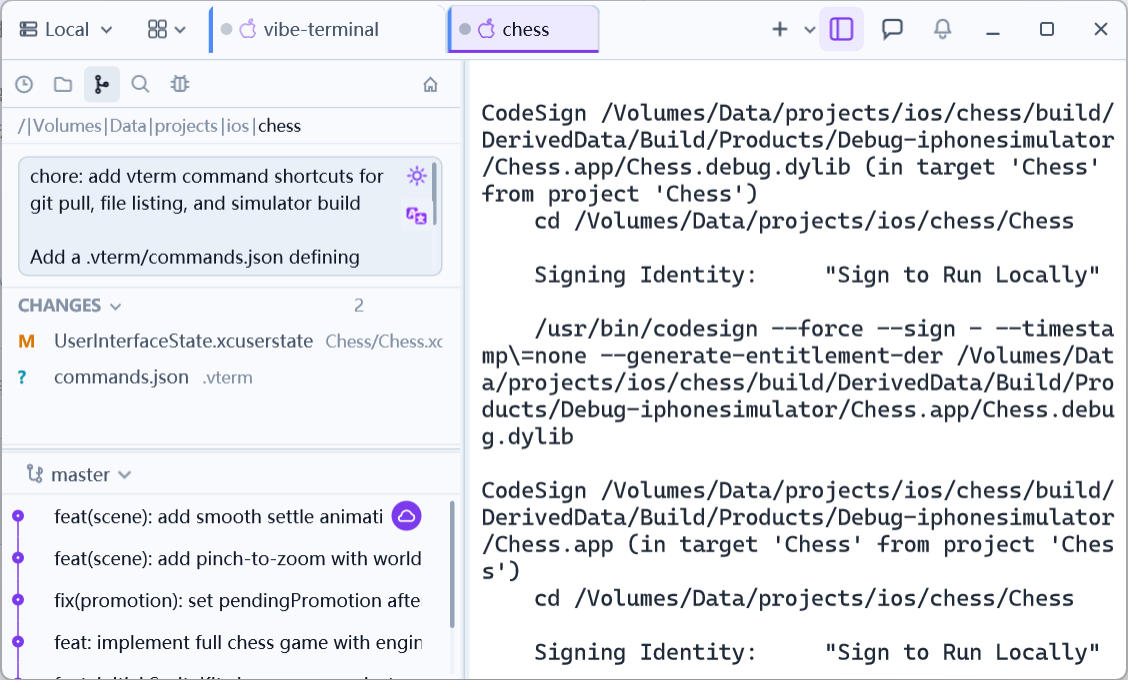
The LLM only reads repository content to produce text; commits and merges always happen when you confirm them.