Documentation
Interactive Rebase
Interactive rebase turns git rebase -i into a visual flow: drag to rearrange the commit queue, apply commits one by one, resolve conflicts visually — no command line needed.
Starting
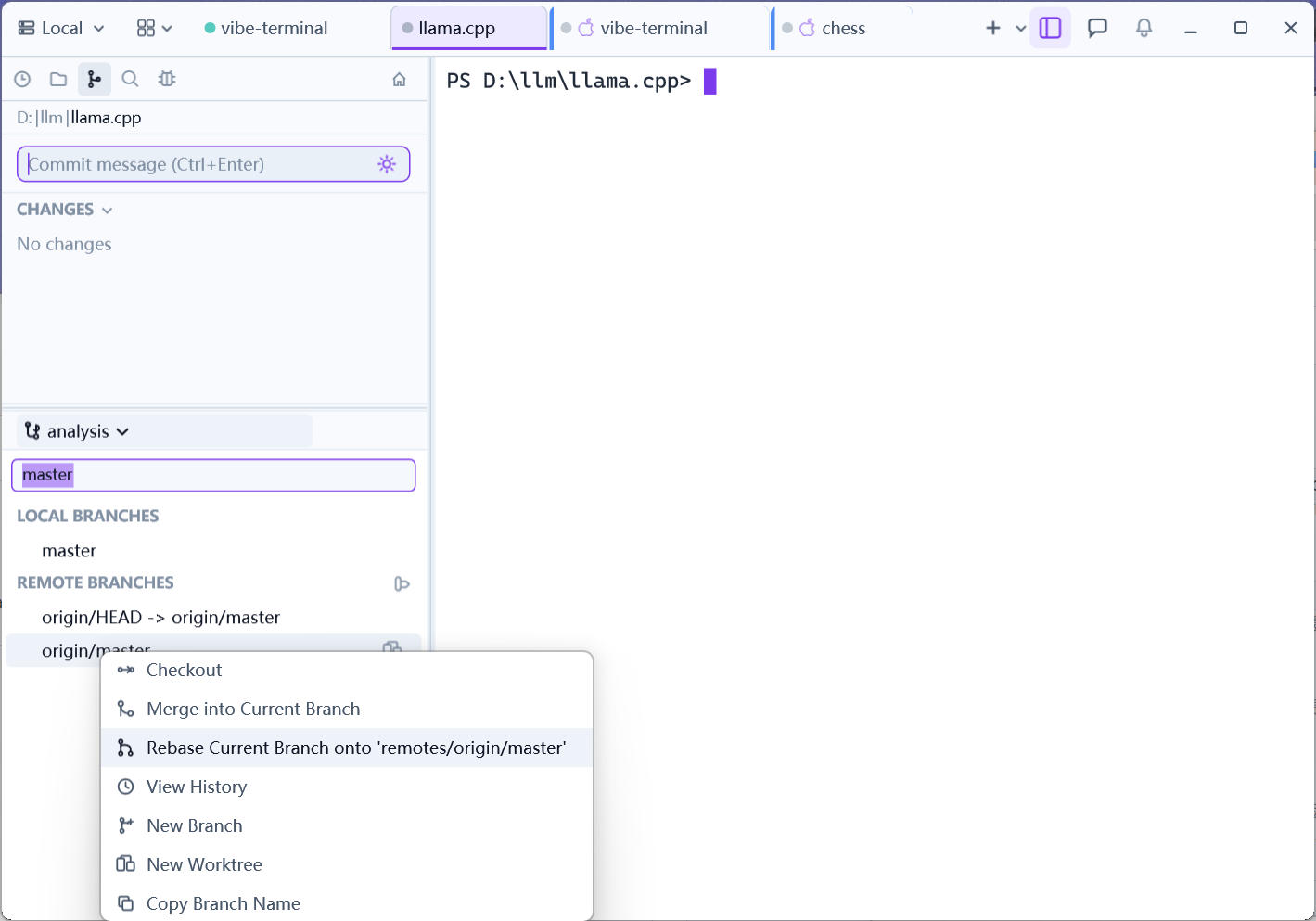
Open the branch pane and type in the Filter branches... box to find the target branch, then right-click it → Rebase Current Branch onto '{branch}' to rebase the current branch onto the target. The panel switches to the rebase view, which moves through four phases:
1. Editing the commit queue
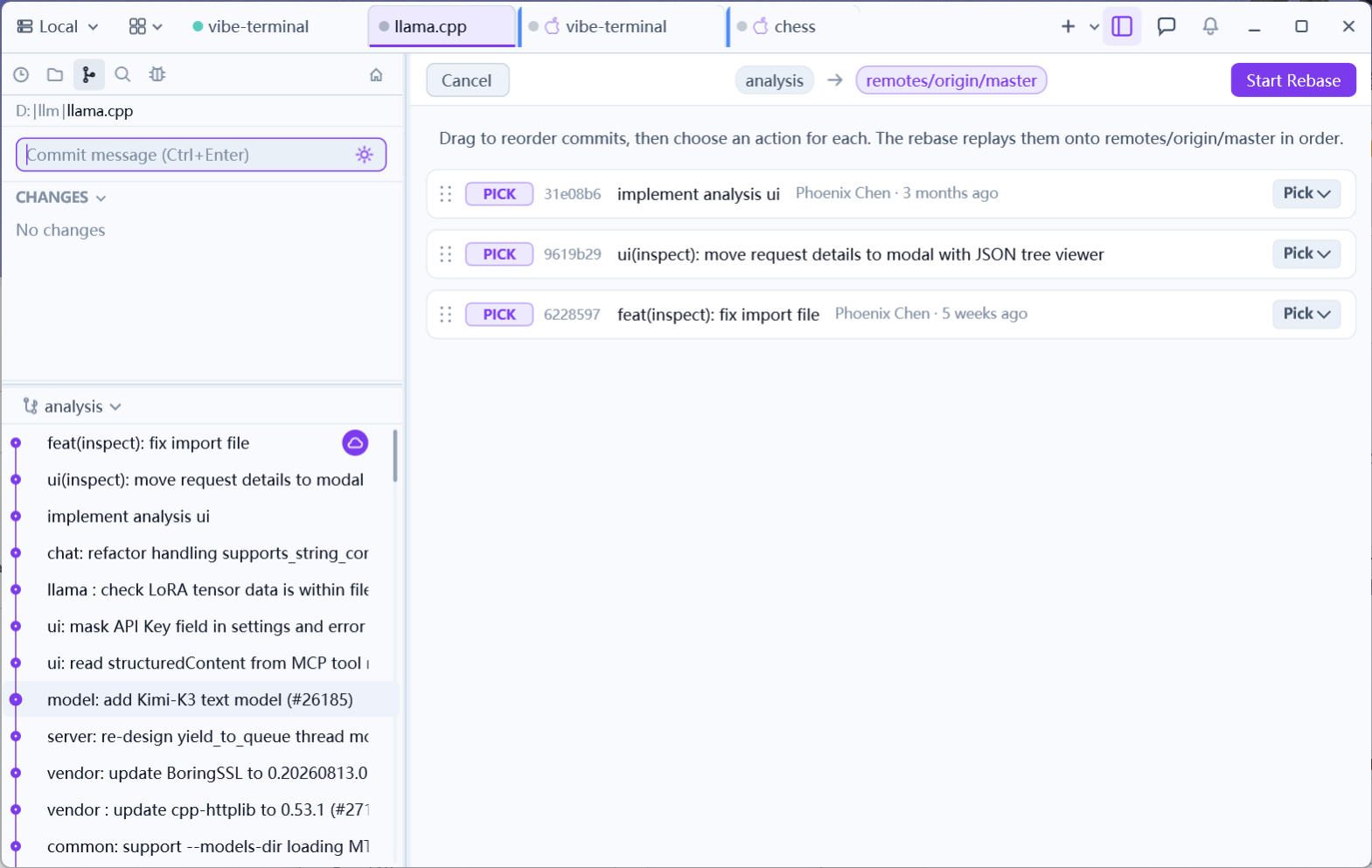
The commits on your branch that the target lacks form a queue:
- Drag to reorder them;
- Each commit has an action dropdown:
pick(keep) /squash(fold into the previous, merge messages) /fixup(fold in, discard message) /edit(stop to amend) /drop(discard); - Squashed and dropped commits collapse visually.
2. Applying
Start Rebase replays the queue onto the target commit by commit with a live progress bar; with no conflicts it runs straight through to done. Abort backs out at any time.
3. Conflicts (if any)
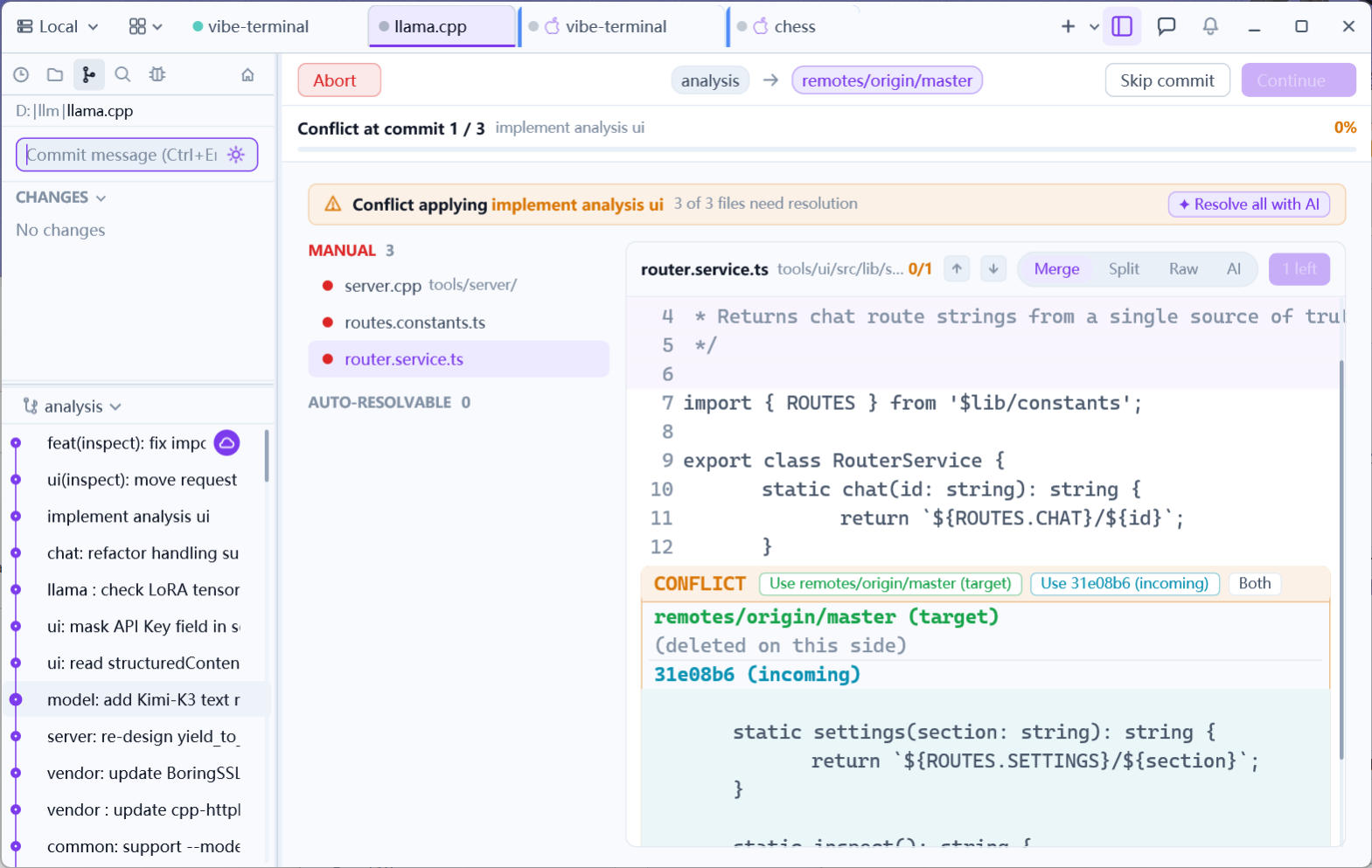
A conflict during applying switches to the conflict view — a file list plus the merge editor with its four modes (Merge / Split / Raw / AI), where each conflicted hunk gets its own decision (Ours / Theirs / Both …; see Resolving Conflicts). Once every file is resolved, Continue resumes the rebase.
4. Done
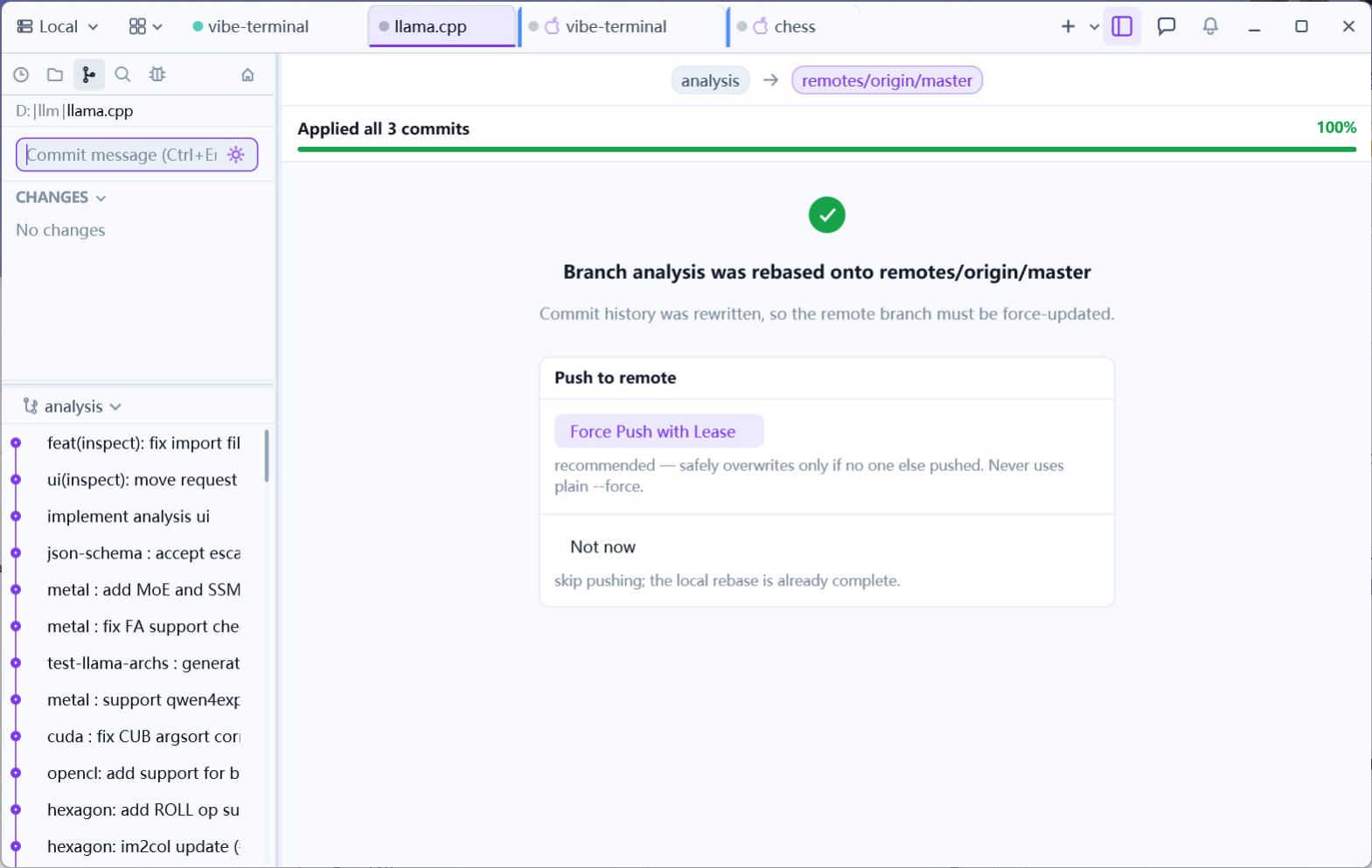
On completion the panel confirms Branch '{branch}' was rebased onto '{target}' and shows the push card — rebasing rewrote history, so the remote branch must be force-updated:
Force Push with Lease— recommended: it overwrites only when no one else has pushed and never uses a plain--force;Not now— skip pushing; the local rebase is already complete.
The session stays usable during the rebase; closing the panel does not interrupt a running one.