Documentation
Overview
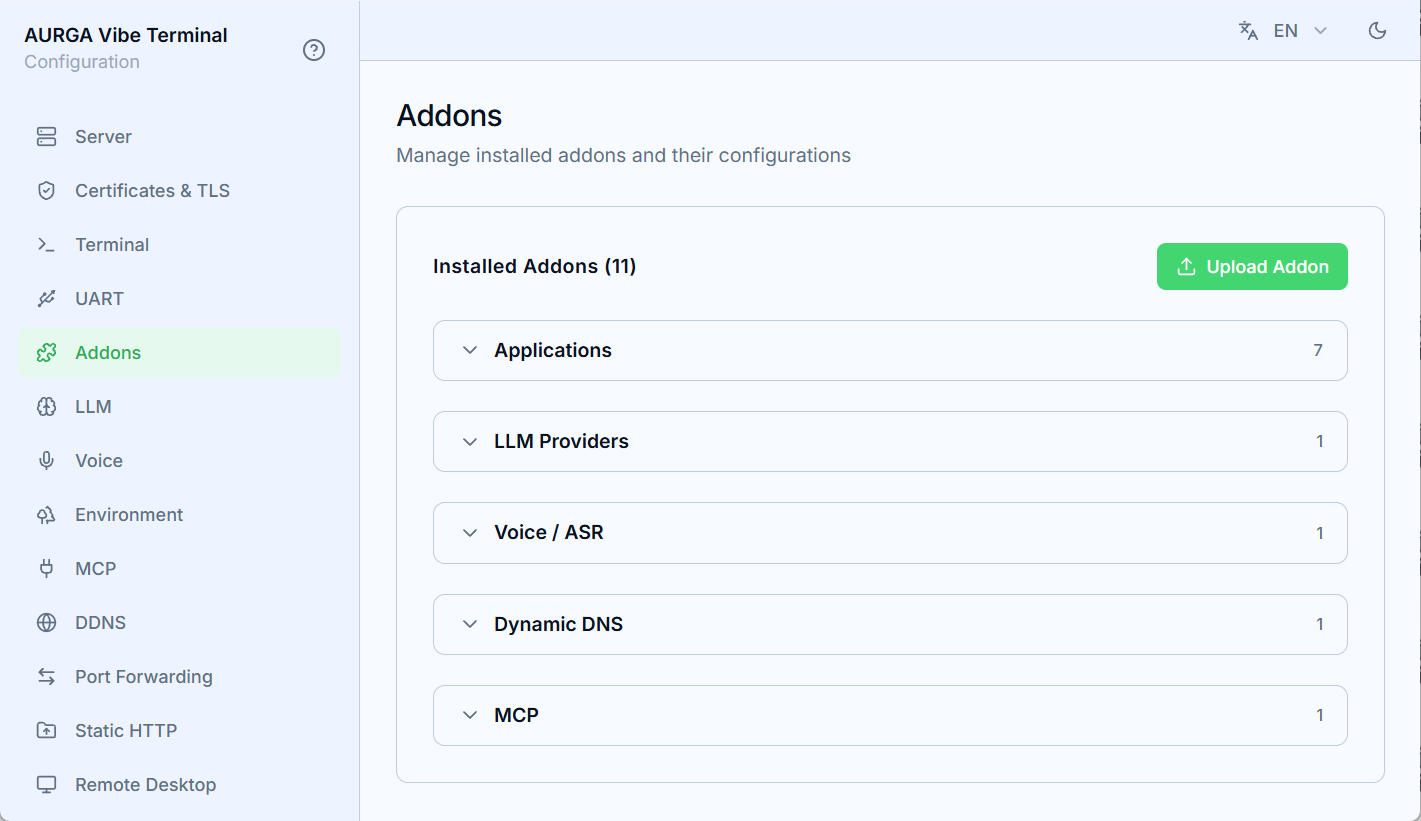
Addons extend the server with new capabilities without touching the core: LLM providers, voice-recognition backends, dynamic DNS updaters, extra MCP tool surfaces, and agent-app detection all live as addons. The Addons section of the Web UI manages them.
Categories
Every addon declares a type, and the section groups the cards accordingly:
- Applications — teach the terminal observer about a Code Agent CLI (Claude Code, Codex, Kimi Code, Pi and OpenCode are built in): process detection, busy/idle status, automation hooks;
- LLM Providers — chat-completion backends that the AI features pick from (an OpenAI-compatible provider is built in);
- Voice / ASR — speech-recognition backends (the built-in
vibe-voiceaddon points at the supervised local ASR server); - Dynamic DNS — keep a hostname mapped to the current address (Cloudflare is built in);
- MCP — extra MCP tool surfaces served on the MCP host (EasyEDA Pro is built in);
- anything else lands in the Other group.
Built-in and uploaded addons
- Built-in addons ship inside the program and are always available. Their manifest and source are pristine — an overridden source can be restored at any time;
- Uploaded addons are your own: a zip holding a manifest and a JavaScript source, installed through the
Upload Addonbutton; - The
Modifiedbadge marks an addon whose source you have overridden.
Each card shows the addon’s type, its badges and an enable toggle; expanding it reveals the description, author, configuration fields and source code.
Configuration
An addon’s manifest declares its config fields, and the expanded card turns them into a form. Values are stored per addon and only take effect while the addon is enabled; password-type fields stay masked. Toggling an addon off keeps its configuration, so re-enabling picks up where you left off.