Documentation
Port Forwarding
Port forwarding publishes an HTTP service running on the server machine — a dev server, a device dashboard, anything listening on a plain http://localhost:port address — on its own TLS port, so any device that can reach the server opens it in a browser as https://<server-address>:<port>/.
How it works
- A forward maps a target port — the HTTP service on this machine — to a forwarded port allocated from the configured port range (default
62000–62999); - The forwarded port speaks TLS: all traffic is encrypted with the server’s self-signed certificate — nothing travels in plain text, even over an untrusted network;
- Any device that can reach the server — on the LAN, or from the internet once the port range is forwarded on the router — opens
https://<server-address>:<forwardedPort>/and lands on the local service.
Forwards are created on demand: the Host with HTTP server file share on a remote (relayed) server automatically requests one and hands you the ready-to-open URL. No manual setup is needed.
Manage forwards
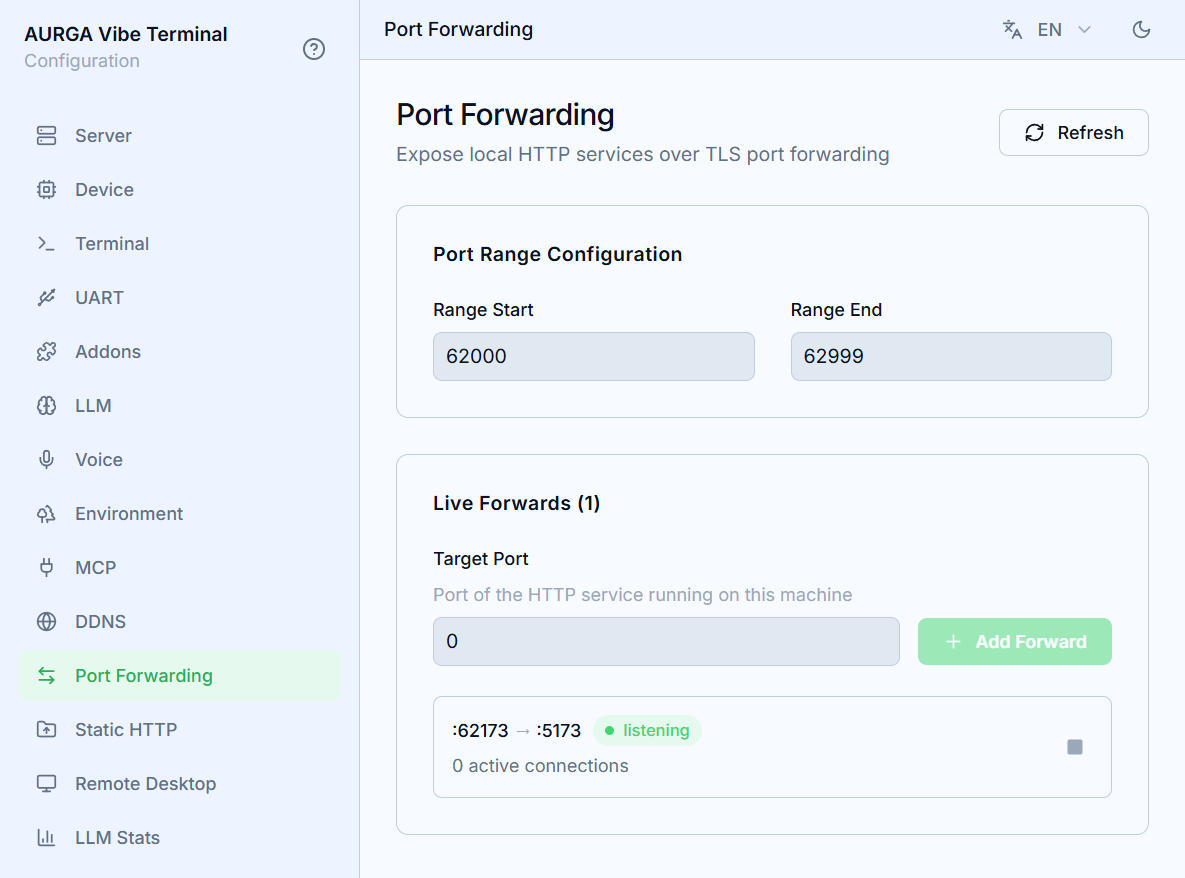
- Open the
Port Forwardingsection of the server’s Web UI. Port Range Configurationbounds the pool forwarded ports are allocated from; changes save automatically. Narrow it when your firewall or router only forwards a few ports.- The live list shows each forward as
:forwardedPort → :targetPortwith its active connection count. - A forward’s stop button tears the listener down immediately and disconnects its active connections; the next share allocates a fresh port.
Refreshre-reads the list.
The certificate warning
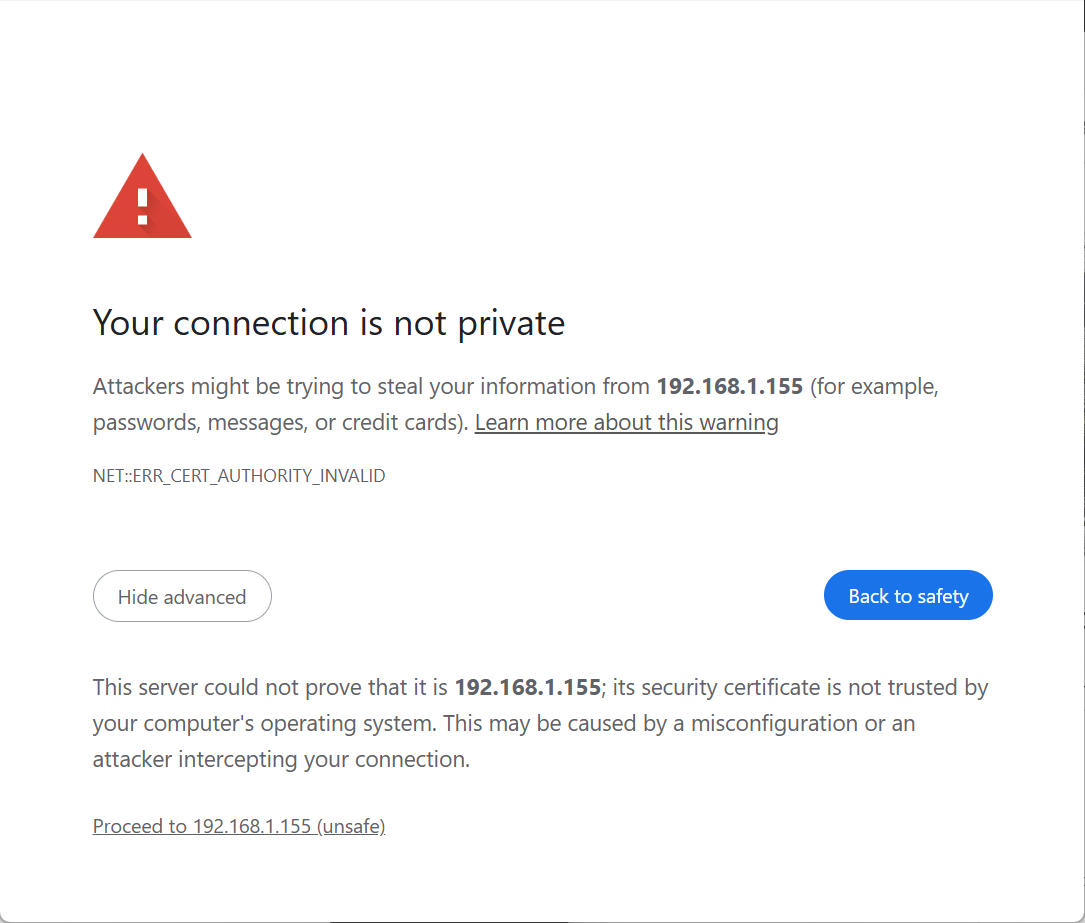
Forwards are encrypted with the server’s own self-signed certificate — the same one that protects the Web UI and client connections. Browsers cannot verify it against a certificate authority, so the first visit to a forwarded URL shows a privacy warning (Your connection is not private). This is expected and safe to click through: the encryption itself is not compromised, only the certificate’s origin cannot be machine-verified. To silence the warning permanently, import the server’s certificate into your device’s trust store.
Chrome on macOS shows ERR_ADDRESS_UNREACHABLE
On macOS 15 (Sequoia) and later, third-party apps need explicit permission to reach devices on the local network — any 192.168.x.x, 10.x.x.x, or similar address. Safari is exempt as a system app, so a forwarded URL can open fine in Safari while Chrome reports ERR_ADDRESS_UNREACHABLE before TLS even starts. This is not a certificate problem and not a problem with the forward itself.
To grant Chrome access:
- Open
System Settings→Privacy & Security→Local Network. - Find
Google Chromein the list and turn it on. - Fully quit Chrome (
Cmd+Q, not just closing windows) and relaunch it.
If the toggle is already on, switch it off and on again — it can get stuck after a Chrome or macOS update. If the error persists, check for a VPN or proxy extension in Chrome that does not route private address ranges.
Access control
What guards a forwarded port depends on what is behind it:
-
Built-in shares are token-gated. The share links the client generates — a
Host with HTTP servershare (?share_token=…) and the Server Settings page (?ticket=…) — carry an access token, and a connection with no valid token and no valid session is dropped before anything is served. On the first visit the token is exchanged for a secure session cookie scoped to that one service and is stripped from the URL, so it does not linger in the address bar or history. -
The tokens are single-use and short-lived. A settings ticket works exactly once and expires within a minute; when a share stops or restarts, its earlier links and sessions stop working. Treat the complete link as the credential — anyone holding it can access the service — and share it only with people you trust.
-
Your own services bring their own authentication. A forward to any other local service encrypts traffic with the server’s self-signed certificate but adds no authentication of its own: whatever the service serves — pages and APIs alike — is reachable by everyone who can reach the port. Put authentication in front of sensitive services before exposing them.